
In a world where meetings, pitches, and online classes happen every day, creating presentations fast — without them looking boring — is more important than ever. Gamma AI promises exactly that: type a prompt, hit generate, and get a polished, modern, web-style presentation in minutes instead of spending hours in PowerPoint.
This blog explores what Gamma AI actually does, its features, pricing, pros and cons, how it compares with Canva and Beautiful.ai, and finally answers the big question: is Gamma really the best AI presentation maker for you?
What Is Gamma AI, Really?
Gamma AI (often accessed through gamma.app) is an AI-first presentation, document, and webpage maker that transforms plain text, outlines, or existing documents into visually rich, scrollable “decks.” Unlike traditional slide tools, Gamma leans more into web-style layouts than static, rigid slides.
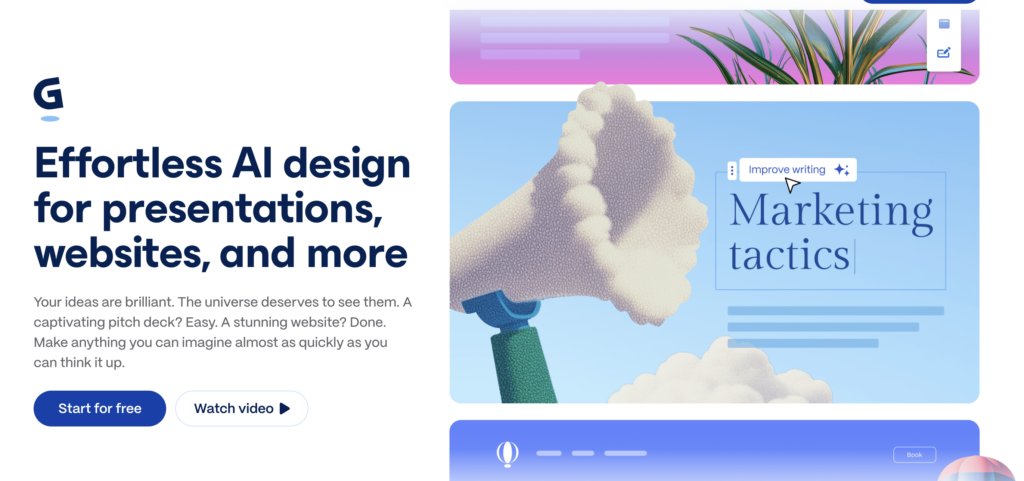
Instead of manually adjusting every text box, font, and image, you describe what you want (for example: “Create a startup pitch deck about an AI pharmacy assistant for investors”) and Gamma generates a complete multi-section presentation with titles, content, and design in one go. You can then refine sections, regenerate individual pages, or adjust the layout with just a few clicks.
Gamma doesn’t stop at presentations. The same engine can create:
- Web-like landing pages
- Long-form documents
- Micro-sites or interactive pages
All with a consistent visual style and responsive layout that works on laptops, tablets, and phones.
Key Features of Gamma AI
Gamma packs several features aimed at eliminating manual design work and helping you focus on your message instead of formatting.
Core Creation Features
- AI presentation generator from prompts, outlines, or pasted documents.
- Multiple style options and themes for different visual moods (minimal, bold, colorful, etc.).
- Automatic structuring of content into sections and pages so you don’t have to think slide-by-slide.
Design and Layout Features
- Responsive, scrollable layouts that feel like a modern webpage rather than old-school slides.
- Clean typography, good spacing, and consistent visual hierarchy without manual tweaking.
- Easy reordering, splitting, or merging of pages and sections.
Interactivity and Media
- Embeds for videos, charts, GIFs, code snippets, and other rich media.
- Support for callout blocks, cards, buttons, and other interactive UI-like elements.
- Great for product demos, documentation, or interactive sales collateral.
Collaboration and Sharing
- Real-time collaboration so teams can edit and comment together.
- Link-based sharing with permissions (view-only, comment, etc.).
- Analytics for link views and engagement (depending on plan).
Export and Compatibility
- Export to PDF for static sharing.
- Export to traditional slide formats (like PPTX/Google Slides) in many cases, though formatting may need adjustments.
- Ability to embed Gamma pages in other platforms via links or iframes.
Feature Snapshot Table
| Area | What Gamma AI Offers | Why It’s Useful |
|---|---|---|
| Content creation | Prompt-based AI generation for decks, docs, web pages | Huge time savings versus manual slide-building |
| Layout & design | Auto-formatting, themes, responsive pages | Professional look without design skills |
| Interactivity | Embeds, cards, buttons, rich media | More engaging than static slide decks |
| Collaboration | Real-time co-editing and comments | Great for teams, agencies, and clients |
| Sharing | Link-based web sharing, analytics | Perfect for remote work and async presentations |
| Export | PDF and slide export (where supported) | Helps when stakeholders insist on PPT/Slides |
Gamma AI Use Cases: Who Is It For?
Gamma AI can theoretically be used by anyone, but it shines most for specific groups and scenarios.
Ideal Users
- Startup founders and entrepreneurs
For pitch decks, investor updates, product overviews, and landing-page-style presentations. - Marketing and sales teams
For sales decks, product walkthroughs, proposal documents, and one-pagers. - Educators, coaches, and trainers
For lessons, workshops, course summaries, and cohort-based program materials. - Creators and solopreneurs
For portfolios, service pages, lead magnets, and webinar presentations.
Best Use Scenarios
- You need a presentation in minutes, not hours.
- You want a web-like, scrollable presentation instead of rigid slides.
- You share content mostly via links and prefer online viewing.
- You want to iterate quickly — generate, check, tweak, regenerate.
Gamma AI Pricing and Plans (Explained Simply)
Exact prices and terms can change over time, but Gamma typically offers:
- Free plan
- One-time bundle of AI credits for generating decks.
- Good for testing the platform and creating a few full presentations.
- Basic features with branding and some limits.
- Paid plans (Plus / Pro)
- Monthly AI credits or near-unlimited AI usage depending on tier.
- Priority support and better analytics.
- More brand control, custom domains or advanced features in higher tiers.
- Aimed at solo professionals, startups, and teams.
Pricing Overview Table
| Plan | Approx User Type | What You Get in Practical Terms |
|---|---|---|
| Free | Students & testers | A handful of AI-generated decks, basic features, Gamma branding |
| Plus | Freelancers & creators | Regular AI creation, better customization, lighter team use |
| Pro | Teams, agencies, startups | High/near-unlimited AI, collaboration, extended analytics/tools |
If you are planning to use Gamma for your business or agency, a paid plan is almost always worth it once you move beyond “just trying it.”
Gamma AI Pros and Cons
Like any tool, Gamma is not perfect. Understanding its strengths and weaknesses helps decide if it fits your workflow.
Major Advantages
- Extreme speed
You can go from idea → structured deck in minutes using AI. - Modern, clean visuals by default
Even with minimal edits, decks usually look professional and consistent. - Web-native experience
Perfect for remote presentations, async updates, and mobile viewing. - Low design skill requirement
Non-designers can create good-looking decks without worrying about fonts, margins, and spacing. - Multi-format output
Presentations, documents, and simple web pages all from the same engine.
Key Limitations
- Export fidelity
When exporting to PPTX or Google Slides, some spacing, fonts, or layouts can break and need fixing. - Not ideal for heavy data presentations
If your slides are full of complex tables, charts, or live data, traditional tools might be better. - Internet and ecosystem dependence
Gamma is cloud-based, so a poor connection hurts; some enterprise IT environments may not allow it. - AI still needs human editing
Generated content can be generic or slightly off; you must fact-check and refine.
Pros vs Cons Table
| Aspect | Pros | Cons |
|---|---|---|
| Speed | Very fast AI generation | Can tempt users to skip proper review |
| Design quality | Clean, modern, mobile-friendly layouts | Less micro-control than PowerPoint/Keynote |
| Ease of use | Simple, text-first workflow | New layout paradigm may feel “strange” to PPT users |
| Compatibility | Web links, PDF export, some slide export | Exported slides may need manual adjustment |
| Use cases | Pitches, overviews, docs, marketing & teaching | Complex data-heavy corporate decks less suited |
| Cost/value | Strong value when used regularly | Free credits are limited; teams must go paid |
Gamma AI vs Other AI Presentation Tools
To answer “Is Gamma the best?”, it has to be compared with other popular options like Canva and Beautiful.ai conceptually.
Comparison Table: Gamma vs Canva vs Beautiful.ai
| Tool | Focus | Strengths | Weaknesses |
|---|---|---|---|
| Gamma AI | AI-first, web-style presentations | Very fast AI decks, responsive pages, modern feel | Export quirks, less suited for dense data slides |
| Canva | General design + presentations | Huge template library, brand kits, social graphics | More manual layout work, AI is only one feature |
| Beautiful.ai | Smart slide layouts & consistency | Great for corporate slide standards | Less flexible for creative layouts or web-style |
Think of it this way:
- Choose Gamma if you want AI-led, web-style storytelling.
- Choose Canva if you want an all-purpose design tool that also does slides.
- Choose Beautiful.ai if you are in a corporate environment focused on consistent, polished slide decks.
Is Gamma AI the Best for You? (Decision Guide)
Whether Gamma is “the best AI presentation maker” depends on your priorities. Use the points below as a quick decision guide.
Gamma Is Probably the Best Choice If:
- You want speed and ease above everything else.
- You share presentations mainly as links, not as PowerPoint files.
- You are a founder, marketer, teacher, or creator who needs to explain ideas visually with minimal design work.
- You love the idea of your presentations looking more like modern web pages than rigid slide decks.
You Might Need Another Tool (or a Combination) If:
- Your company is fully locked into PowerPoint/Google Slides and strict templates.
- Your decks are heavy on complex charts, tables, or live data.
- You frequently present offline or in environments where cloud tools are restricted.
- You need extremely fine-grained control over every pixel and animation.
In many real-world workflows, the “best” stack is actually hybrid:
- Use Gamma to quickly generate the first version of your deck.
- Export and fine-tune key slides in PowerPoint or Google Slides if necessary.
This way, you benefit from AI speed without losing the control you need for final delivery.
Final Verdict On Gamma AI Review: So, Is Gamma AI Really the Best?
Gamma AI is arguably one of the best tools today for fast, AI-generated, web-native presentations that look clean and professional with minimal effort. For startup founders, content creators, educators, and modern teams that share decks as links and value speed plus aesthetics, it can absolutely feel like “the best AI presentation maker” in everyday use.
However, there is no single “best” for everyone. If your world revolves around strict corporate templates, heavy data analysis, and offline PowerPoint, Gamma is better seen as a powerful accelerator and companion, not a full replacement. For most digital-first creators and businesses, though, Gamma deserves a place at the very top of your AI presentation toolkit.