
By GeekyBuzz | Last Updated: May 2026 | Category: AI Tools, Productivity, Google Workspace, SaaS Reviews
GPT Workspace (gpt.space) is an AI-powered Chrome extension and Google Workspace add-on that brings ChatGPT, Claude, Gemini, Grok, and DeepSeek directly into Google Docs, Sheets, Slides, Gmail, and Drive — without ever leaving the app. Trusted by over 7 million users with a stellar 4.9/5 rating, it’s one of the most widely used AI productivity tools for Google Workspace in 2026. There’s a free plan to start, and paid plans begin at just $9/month. 👉 Try GPT Workspace Free
Table of Contents
- What Is GPT Workspace?
- Who Is It Built For?
- Core Features Deep Dive
- GPT for Google Docs
- GPT for Google Sheets
- GPT for Google Slides
- GPT for Gmail
- GPT for Google Drive
- Chrome Extension (Any Website)
- AI Models Supported
- GPT Workspace Pricing Plans (2026)
- Security & Privacy
- Pros and Cons
- Real User Reviews
- GPT Workspace vs. Competitors
- Is GPT Workspace Worth It?
- FAQs
What Is GPT Workspace?
If you’ve ever caught yourself constantly switching between a Google Doc and a ChatGPT tab — copying text, pasting prompts, copying responses back — GPT Workspace was built to eliminate exactly that friction.
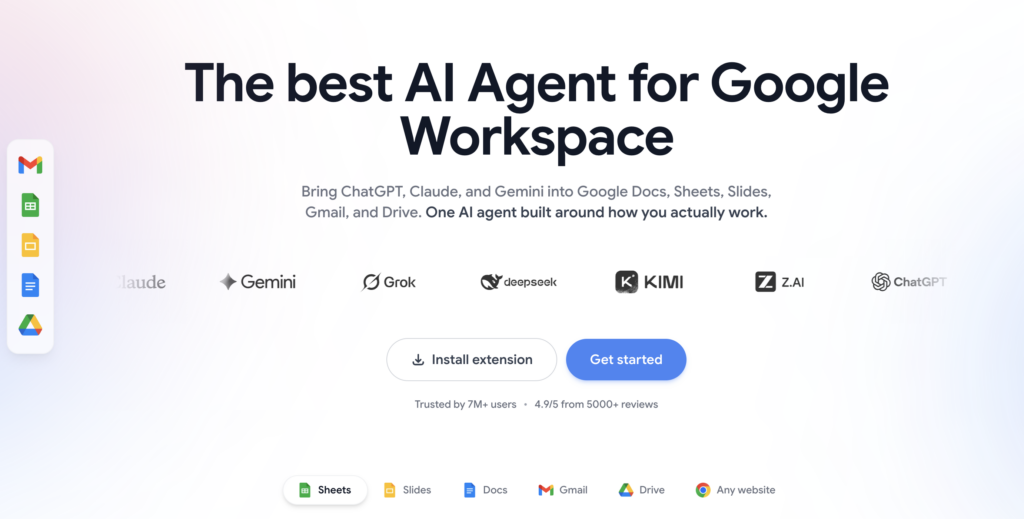
GPT Workspace (gpt.space) is an AI agent for Google Workspace that embeds ChatGPT, Claude, Gemini, Grok, DeepSeek, and other leading AI models directly inside the apps you already use every day. No context-switching. No tab juggling. Just AI power living right where your work actually happens — inside Google Docs, Sheets, Slides, Gmail, and Drive.
It’s available as both a Chrome Extension (which also works on any website) and as a set of dedicated Google Workspace Add-ons — one for each app. Installation takes under a minute, and you can start using it for free immediately with no credit card required.
Since its launch, GPT Workspace has grown to serve over 7 million users worldwide and has earned a remarkable 4.9/5 rating from more than 8,100 reviews on the Google Workspace Marketplace — making it one of the most trusted and widely adopted AI productivity tools available for Google users today.
The core promise is simple but powerful: you shouldn’t have to leave the app you’re working in just to get AI help. GPT Workspace makes that a reality.
Who Is GPT Workspace Built For?
GPT Workspace is designed for anyone who uses Google Workspace as part of their daily work. That’s an enormous audience — and the tool is flexible enough to genuinely serve all of them. It’s particularly valuable for:
- Knowledge workers and office professionals who spend their days writing documents, managing emails, and building spreadsheets
- Students and academics who use Google Docs for papers, research, and note-taking
- Freelancers and solopreneurs who need AI writing, research, and data tools without enterprise-level pricing
- Marketing professionals who write content, build reports, and manage outreach in Google tools
- Data analysts who live in Google Sheets and want AI-powered formula generation and data analysis
- Executives and managers who need faster email drafting, document summarization, and presentation creation
- Teams at companies of all sizes — from startups to Fortune 500s — who want a unified AI layer across their Google Workspace environment
- Teachers and educators who use Google tools for curriculum planning, feedback, and communication
Whether you’re a solo user or rolling out AI to a 500-person team, GPT Workspace scales to fit.
Core Features Deep Dive
1. 📄 GPT for Google Docs — Write, Rewrite, and Summarize Without Leaving Your Document
The Google Docs integration is where most users spend the bulk of their time, and it’s remarkably well executed.
An AI sidebar lives directly inside your open document. You can ask it to write from scratch, expand a bullet point into a full paragraph, rewrite existing content in a different tone, shorten lengthy sections, check grammar, translate into any of 30+ supported languages, summarize long documents into digestible takeaways, or generate a full blog post or report from a simple prompt.
What makes this genuinely different from just using ChatGPT in a separate tab is context awareness. The AI can see your document and respond to it intelligently — so instead of describing your content to the AI, you just ask it to work on what’s already there. “Make this introduction more compelling” or “Summarize this section in three bullet points” actually works, because the AI knows what “this” refers to.
Teams also benefit from the shared chat history inside documents — multiple collaborators can see what the AI was asked to do and what it produced, turning it into a collaborative editing assistant rather than just a solo productivity tool.
2. 📊 GPT for Google Sheets — AI Formulas, Data Analysis, and Automation at Scale
The Google Sheets integration might be the single most powerful feature in the entire GPT Workspace suite — especially for users who aren’t formula experts.
The flagship capability is the =GPT() function, which you can use directly inside spreadsheet cells just like any other formula. With it, you can:
- Generate content in bulk across thousands of rows (product descriptions, summaries, personalized messages)
- Classify and categorize data automatically (sentiment analysis, topic tagging, intent labeling)
- Extract specific information from messy text fields
- Clean and standardize inconsistent data
- Translate content cell-by-cell across 30+ languages
- Write and explain complex Google Sheets formulas in plain English
This is genuinely transformative for anyone who manages large datasets. Tasks that used to take hours — like manually categorizing hundreds of customer feedback responses — can now be done in minutes with a single formula dragged down a column.
Beyond the =GPT() function, the sidebar also lets you ask plain-language questions about your data, build pivot tables with AI guidance, and even write Google Apps Script automation with AI assistance if you want to go deeper.
3. 🎨 GPT for Google Slides — Full Presentations From a Single Prompt
Creating presentations is one of the most universally dreaded tasks in the professional world, and GPT Workspace takes a serious swing at solving it.
The Google Slides integration lets you describe your presentation and have the AI generate a full deck — layouts, slide content, and structure already in place. It can also add speaker notes to every slide automatically, rewrite existing slide content in a new tone or language, suggest and build out presentation outlines, and summarize long presentations into their key points.
The time savings here are real. Instead of spending two hours building a slide deck from scratch, you can get a polished first draft in minutes and spend your time refining rather than creating.
4. 📧 GPT for Gmail — Emails That Sound Like You, Not Like a Robot
The Gmail integration solves a specific and common problem: writing email responses that are professional, contextually aware, and actually sound like a human being.
Unlike generic AI email tools that produce stiff, obviously machine-written responses, GPT Workspace reads the full email thread before generating a reply. It understands the conversation context — who said what, what was asked, what needs to be addressed — and produces a response that fits naturally into that thread.
From inside Gmail, you can draft replies, write cold emails, create follow-up sequences, generate subject lines, summarize long email threads into key action points, organize your inbox by priority, and even schedule follow-ups. The AI sidebar appears directly inside the Gmail interface, so the entire workflow stays in one place.
5. 🗂️ GPT for Google Drive — Chat With Your Files
The Google Drive integration transforms your file storage from a passive repository into an interactive knowledge base.
You can ask questions about any file in your Drive — PDFs, Docs, Sheets, Presentations — and get answers without opening each one manually. Summarize a 50-page PDF in seconds. Extract specific information from a dense report. Compare two documents. Search your entire Drive using natural language instead of trying to remember exact file names.
For anyone who manages a large Drive with years of accumulated documents, this feature alone can save significant time every single week.
6. 🌐 Chrome Extension — AI on Every Website
Beyond the Google Workspace apps, GPT Workspace also ships as a Chrome Extension that works on any website. This means you can get AI assistance anywhere you browse — summarize any web page, ask questions about content you’re reading, translate text on any site, or draft content inside any text field on any platform.
It’s essentially a floating AI assistant that travels with you across the entire web, not just inside Google’s ecosystem.
AI Models Supported
One of GPT Workspace’s biggest differentiators is its multi-model approach. Instead of locking you into a single AI, it supports:
- ChatGPT (GPT-5.3) — OpenAI’s most capable model for complex reasoning and writing
- Claude (Anthropic) — Excellent for nuanced writing, analysis, and longer documents
- Gemini (Google) — Google’s native AI, deeply integrated with Workspace context
- Grok (xAI) — Strong for real-time information and direct, no-nonsense responses
- DeepSeek — A powerful open-source model with impressive reasoning capabilities
- Kimi and Zai — Additional model options for specialized use cases
You can switch between models at any time depending on the task at hand — use the fastest model for quick email replies, the most powerful one for complex data analysis, or let GPT Workspace pick automatically. This flexibility is a genuine advantage over tools that tie you to a single AI provider.
GPT Workspace Pricing Plans (2026)
GPT Workspace has one of the most accessible pricing structures in the AI tools market. The free plan is genuinely usable — not a crippled trial.
| Plan | Price | Best For |
|---|---|---|
| Free | $0/month | Individuals getting started; access to basic AI features across all Google apps, limited credits |
| Starter | $9/month (billed annually) | Individuals; 5M AI credits/month, ChatGPT + Claude + Gemini in Chat, AI formulas in Sheets, full access across Docs/Slides/Gmail/Drive |
| Standard | $29/month (billed annually) | Professionals; unlimited AI conversations in Chat, 25M Sheets formula credits/month, advanced models (GPT-5.3, Claude Opus, Gemini Pro), team billing & shared credits, pay-per-use for unlimited Sheets |
| Pro | $79/month (billed annually) | Power users & teams; everything in Standard + 100M Sheets formula credits/month, priority access to new AI models, priority support, advanced team management |
Key pricing highlights:
- Annual plans save 30% across all tiers
- No credit card required to start the free plan
- 30-day money-back guarantee on Starter, Standard, and Pro plans
- Team billing and shared credits available on Standard and above
- The Standard plan is marked as “Best Value” for most professional use cases
👉 See full pricing and start free at GPT Workspace
Security & Privacy — What Happens to Your Data? {#security}
This is a critical question for anyone considering an AI tool that touches their emails, documents, and spreadsheets — and GPT Workspace has a genuinely strong answer.
GPT Workspace never stores your Google Docs, emails, or spreadsheets. Data is processed in real time and never saved on their servers. Your documents are never indexed, never shared with third parties, and never used to train AI models — by GPT Workspace or by anyone else.
The platform holds several notable certifications that back this up:
- CASA Tier III — Google Cloud Application Security Assessment Certification (one of the highest levels of Google Cloud security verification)
- ISO 27001 — International standard for information security management systems
- GDPR Compliant — Full compliance with EU data protection regulations
- SOC 2 Compliant AI Providers — All AI model integrations use compliant, privacy-respecting infrastructure
- Google Cloud Partner — Verified partner in the GCP ecosystem
All data is encrypted in transit with TLS 1.2 and at rest with AES-256. High-profile organizations including teams at Google, Harvard, Netflix, Stripe, and GitHub trust GPT Workspace with their daily work — which is about as strong an endorsement of the security posture as you can get.
Pros and Cons
✅ What GPT Workspace Gets Right
Completely frictionless integration. The tool lives inside the apps you already use. There is genuinely zero context-switching required — you write, the AI helps, everything stays in one place.
Multi-model flexibility. Access to GPT-5.3, Claude, Gemini, Grok, DeepSeek, and more from a single subscription is a meaningful advantage. Different tasks benefit from different models, and having the choice is valuable.
The =GPT() Sheets formula is transformative. For anyone who works with data at scale, the ability to run AI operations across thousands of cells using a simple formula is a genuine superpower. This single feature alone can justify the entire subscription.
Outstanding ratings from a massive user base. A 4.9/5 rating from over 8,100 verified reviews on the Google Workspace Marketplace is exceptional. At 7M+ users, this is not a niche tool with a handful of enthusiastic early adopters — it’s a mainstream product with proven, broad adoption.
Strong security posture. CASA Tier III, ISO 27001, GDPR compliance, and a genuine no-storage policy puts it ahead of many competitors on the privacy and security front.
Genuinely useful free plan. Most “free” AI tools are essentially locked demos. GPT Workspace’s free tier actually gives you enough to evaluate and use the product meaningfully before committing to a paid plan.
Affordable entry point. $9/month for the Starter plan — or $0 to start — makes this one of the most accessible AI productivity tools on the market.
❌ Where GPT Workspace Falls Short
Credit limits on lower tiers. The Starter plan’s 5M monthly credits and the free plan’s more limited quota can feel restrictive for heavy users — particularly if you’re running bulk GPT operations in Sheets across large datasets.
Best value is on annual plans. The 30% discount on annual billing is significant, but it does mean committing upfront. Monthly billing is available, but at a higher effective rate.
Advanced model access requires upgrading. The most powerful models — GPT-5.3, Claude Opus, Gemini Pro — are locked behind the Standard plan ($29/month). Starter users get the capable but slightly less powerful model variants.
Sheets formula credits can deplete quickly. If you’re processing tens of thousands of rows, even the 100M credits on the Pro plan can run through faster than expected. Pay-per-use is available, but it adds a variable cost element to your budget.
Not a replacement for dedicated writing or analytics tools. GPT Workspace is a workflow enhancer, not a standalone writing suite or BI platform. Heavy content creators may want dedicated tools alongside it.
Real User Reviews
GPT Workspace has accumulated thousands of verified reviews across the Google Workspace Marketplace and Chrome Web Store. Here’s what real users are saying:
“We love that the chat box is right there in our Google Doc that we’re working on. We’re able to get assistance without even leaving the doc. And ChatGPT is able to access what we’re working on straight from the doc so we don’t have to explain it.”
“GPT in Google Workspace was amazing at creating a professional tracking sheet with a data entry form, all from my PDF copy of our daily rounds sheet.”
“This is amazing. I am able to focus on the questions I have to push my project ahead full throttle. With GPT, all my minute yet mind-numbing questions are quickly put to ease so I can get back on track!”
“This extension is extremely useful when I’m composing emails. Love this!”
“This app has completely changed my life! I absolutely love it and I would give it 10 stars if I could!”
“Best AI extension I have seen yet, almost feels like an autonomous agent.”
“GPT Workspace has helped me with organization and planning over the past two years. Great app!”
“This really helps streamline my workday. Always proofread!”
The reviews are remarkably consistent in their themes: time savings, ease of use, and the value of having AI embedded directly inside familiar tools rather than in a separate tab. The most common criticism relates to credit limits and the desire for even more features — which is a quality problem to have.
GPT Workspace vs. Competitors
| Feature | GPT Workspace | Gemini for Workspace | Microsoft Copilot | Notion AI |
|---|---|---|---|---|
| Works in Google Docs | ✅ Yes | ✅ Yes (native) | ❌ No | ❌ No |
| Works in Google Sheets | ✅ AI formulas + chat | ✅ Limited | ❌ No | ❌ No |
| Works in Gmail | ✅ Yes | ✅ Yes (native) | ❌ No | ❌ No |
| Multi-model support | ✅ GPT, Claude, Gemini, Grok+ | ❌ Gemini only | ❌ GPT-4 only | ❌ Claude only |
| Chrome Extension | ✅ Any website | ❌ No | ✅ Edge only | ❌ No |
| Free Plan | ✅ Yes | ❌ Paid add-on | ❌ Paid add-on | ✅ Limited |
| Starting Price | $9/month | ~$30/user/month | ~$30/user/month | $10/month |
| CASA Tier III Certified | ✅ Yes | N/A | N/A | ❌ No |
| User Rating (Marketplace) | ⭐ 4.9/5 (8,100+ reviews) | N/A | N/A | N/A |
The key differentiator is multi-model flexibility at an accessible price. Google’s native Gemini for Workspace and Microsoft’s Copilot both cost significantly more (typically $20–$30 per user per month) and lock you into a single AI model. GPT Workspace gives you access to multiple best-in-class models — including competitors’ AI like Claude and GPT — at a fraction of the cost, all inside the same Google tools you’re already paying for.
For Google Workspace users specifically, GPT Workspace is the most feature-rich, affordable, and widely trusted option on the market.
Final Verdict — Is GPT Workspace Worth It?
Absolutely — and the free plan means there’s no reason not to try it.
GPT Workspace occupies a genuinely unique position in the AI productivity landscape. It’s not asking you to change how you work or adopt a new platform. It meets you exactly where you already are — inside the Google apps that hundreds of millions of people use every day — and makes those apps dramatically more powerful.
For individuals, the free plan and the $9/month Starter tier are exceptional value. You get multi-model AI across every major Google app, a Chrome extension that works everywhere, and enough capability to meaningfully accelerate your daily work.
For teams and professionals, the Standard plan at $29/month unlocks unlimited AI conversations, advanced models, and team billing — making it a no-brainer for anyone whose productivity is tied to Google Workspace.
The 7 million users and 4.9/5 rating aren’t marketing spin. They’re the result of a tool that genuinely does what it promises, with a privacy posture that holds up to scrutiny and a price point that makes the ROI obvious.
If you use Google Docs, Sheets, Slides, Gmail, or Drive — and you haven’t tried GPT Workspace yet — you’re leaving significant time and productivity on the table every single day.
👉 Install GPT Workspace for free — no credit card required
Frequently Asked Questions
What is GPT Workspace? GPT Workspace (gpt.space) is an AI-powered tool that brings ChatGPT, Claude, Gemini, Grok, DeepSeek, and other leading AI models directly into Google Docs, Sheets, Slides, Gmail, and Drive. It’s available as a Chrome Extension and as Google Workspace Add-ons.
Is GPT Workspace free to use? Yes. GPT Workspace has a free plan with no credit card required. The free tier gives access to AI features across all Google apps. Paid plans start at $9/month (billed annually) for more credits and advanced features.
Is GPT Workspace safe? What happens to my Google data? GPT Workspace never stores your Google Docs, emails, or spreadsheets. Data is processed in real time and never saved on their servers or used to train AI models. The platform is CASA Tier III certified, ISO 27001 certified, SOC 2 compliant, and GDPR compliant.
Which AI models does GPT Workspace support? GPT Workspace supports ChatGPT (GPT-5.3), Claude (Anthropic), Gemini (Google), Grok (xAI), DeepSeek, Kimi, and Zai. You can switch between models at any time.
How do I add GPT Workspace to Google Docs? Install the GPT Workspace Chrome Extension from the Chrome Web Store, or add the Google Workspace Add-on from the Google Marketplace. Both take under a minute and work immediately after installation.
What is the =GPT() function in Google Sheets? The =GPT() function lets you run AI operations directly inside spreadsheet cells — like a formula. You can use it to generate content, classify data, extract information, summarize text, translate, and more, across thousands of rows at once.
How does GPT Workspace compare to Google’s built-in Gemini? GPT Workspace supports multiple AI models (including GPT-5.3 and Claude, not just Gemini), has a lower starting price ($9/month vs. Gemini’s ~$30/user/month add-on), includes a free plan, and works as a Chrome Extension across any website — not just Google apps.
Can I use GPT Workspace with my whole team? Yes. The Standard and Pro plans include team billing, shared credits, and admin controls. Over 20,000 professional teams use GPT Workspace as their standard AI layer across Google Workspace.
Does GPT Workspace work on mobile? GPT Workspace is primarily designed for desktop use via Chrome. Mobile use is limited to the mobile versions of Google Workspace apps where add-ons are supported.
What’s the refund policy for GPT Workspace? Paid plans (Starter, Standard, Pro) come with a 30-day money-back guarantee when billed annually.
Disclosure: Some links in this article are affiliate links. If you sign up through our link, GeekyBuzz may earn a small commission at no extra cost to you. We only recommend tools we’ve thoroughly researched and genuinely believe deliver value to our readers.